 Papervoice
Finally get through the PDFs you keep meaning to read.
Turn the PDFs you already own into something you can listen to — with natural voices that work entirely on your phone.
Free. Android 7.0+. No account.
Direct APK download · 45.3 MB
Install
Listening in three steps.
- Download the Android app.
- Open the downloaded file and follow Android’s installation prompts.
- Open Papervoice and add a PDF.
Natural voices are downloaded separately, from inside the app, once each. After that they work offline. Your phone’s own voice works straight away, with nothing to download.
More help installing
Apps from outside Google Play install only if you allow the app you downloaded with — usually your browser or file manager — to install them. Android asks the first time, and opens a setting called something like Install unknown apps. The wording and the steps vary between Android versions and phone makers.
That permission stays on for that app until you turn it off. Once Papervoice is installed you can switch it off again, in the same setting: Settings → Apps → your browser → Install unknown apps.
Android may also show a warning about installing an app from outside Google Play. Read what it says before continuing. If you would rather not install this way, request a Play Store beta invite instead.
Version 1.1.0,
45.3 MB. Its SHA-256 checksum is
a5252e0d5549717eace12e07da01010c09eead63edbb1afa207279e4db6b0914
To check that the file you downloaded matches the published one, compute its checksum and compare it with the value above:
- Windows:
certutil -hashfile papervoice.apk SHA256 - macOS:
shasum -a 256 papervoice.apk - Linux:
sha256sum papervoice.apk
A match means your copy is the file published on the release page. It does not, on its own, show how that file was built.
The honest version
Saved for later. And later never comes.
Books. Papers. Reports. Notes. PDFs you genuinely wanted to read — still sitting there.
You don't need more reading time.
You need another way to read.
What changes
Turn reading time into listening time.
Walk. Commute. Rest. Keep going. Papervoice lets the things you want to read come with you.
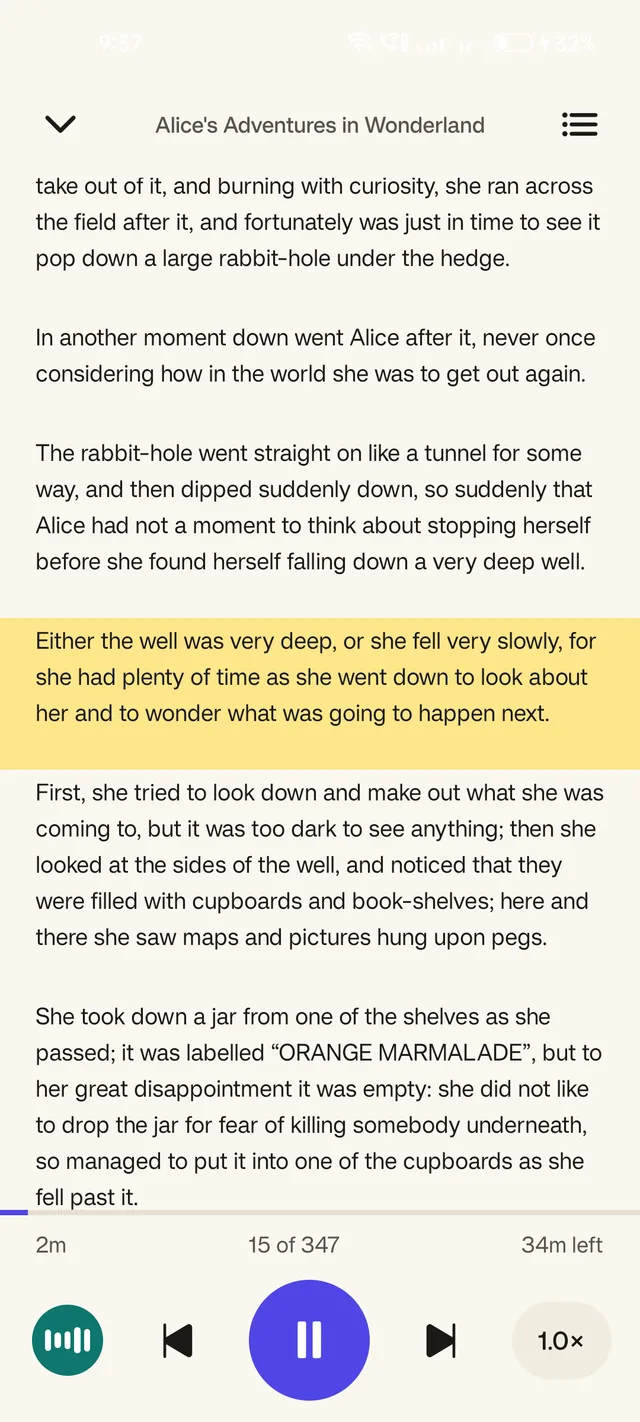
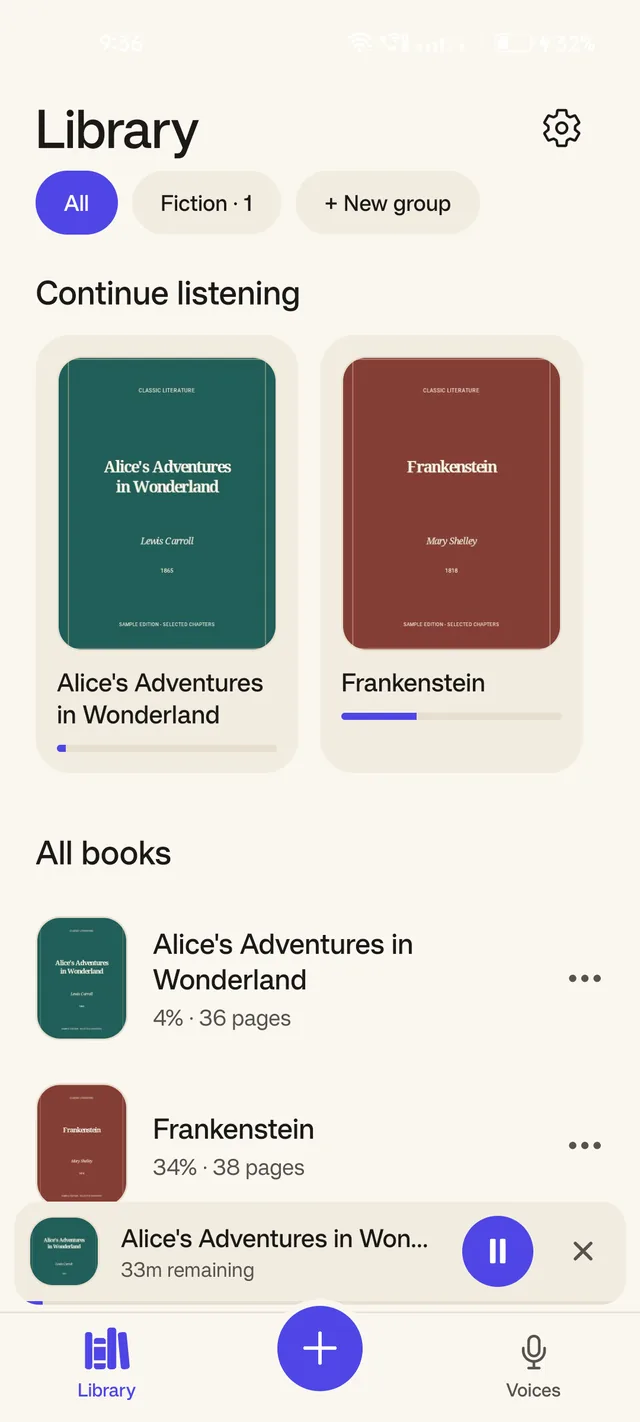
It picks up exactly where you stopped — to the sentence — in every book, however long you leave it.
Voices
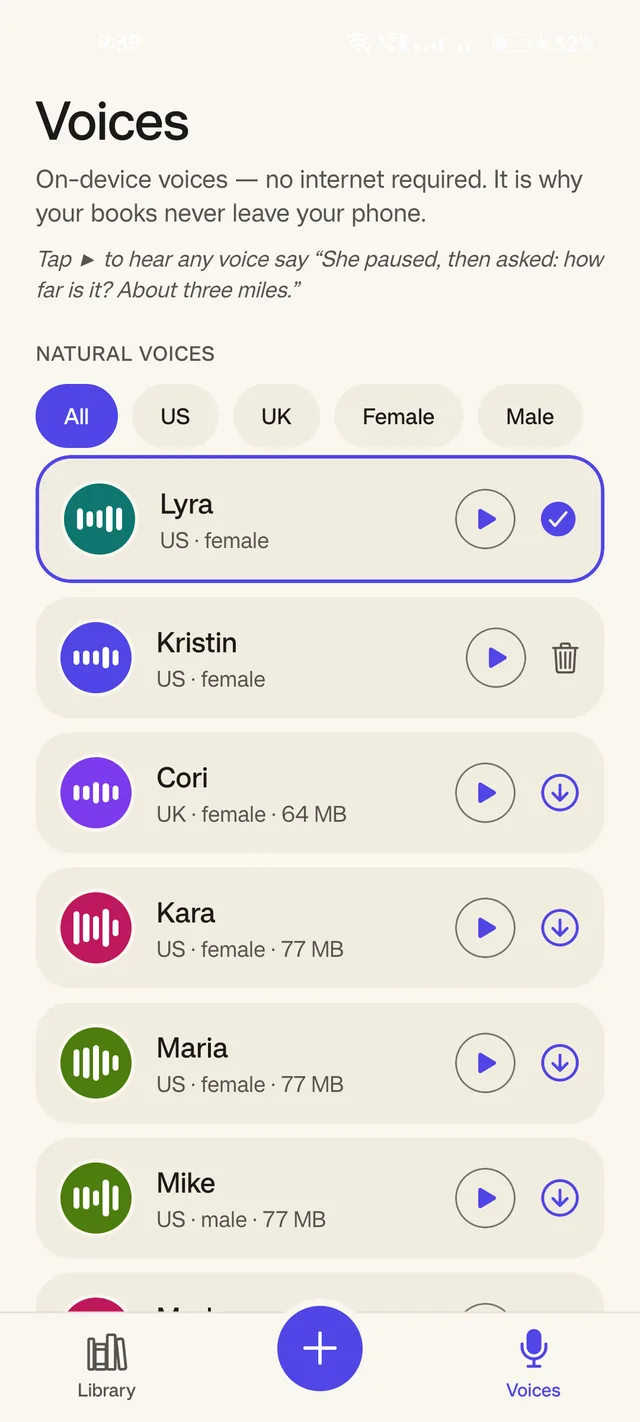
Natural voices. On your device.
Choose from natural-sounding voices and download them once. After that, they work offline.
Lyra is the voice most people settle on. There are others — British and American, female and male — and your phone's own voice works too, with nothing to download.
Hear them before you download one. Each reads the same line: “She paused, then asked: how far is it? About three miles.”
All 15 voices
Offline
No internet required.
Once a voice is downloaded, listening happens entirely on your phone. Aeroplane mode, the underground, a dead signal — it carries on reading.
Privacy
No uploads. No account.
Your documents stay on your device. Papervoice does not need your books in the cloud just to read them aloud.
That isn't a promise about intentions — it's how the app is built, and the source is public so anyone can check. Read the privacy policy
Everything else it does
Made to be lived in.
Follow along
The spoken sentence is highlighted as it reads.
Tap to jump
Touch any sentence to start from there.
Resume exactly
Your place is kept to the sentence, per book.
Contents
Chapter navigation, read out of the PDF itself.
Speed
From 0.5× to 3×, with presets.
Themes
Paper, light and dark.
Groups
Shelves, for keeping a library in order.
Trust
Built in the open.
Papervoice is free and open source. You can inspect the code, see how your documents are handled, and contribute improvements.
Licensed under the GPL, because the component that turns letters into sounds is. Licence · Voice credits
Prefer Google Play?
The Google Play version is coming. Enter the Google account you use on your Android phone to request a beta invite.
Already have an invite? Join the Android beta
You're in.
I'll send you access when your beta invite is ready.
Questions
Before you start.
Is Papervoice free?
Yes. It is currently free and open source.
Does it work offline?
Yes, after downloading a voice once. Your phone's own voice needs no download at all.
Are my PDFs uploaded anywhere?
No. Reading happens on-device. The app fetches a voice when you choose to download one, and makes no other network requests.
Is it on Google Play?
Not publicly yet, and the Google Play beta is still being prepared. You can download the Android app from this page now, or request a beta invite and get one when testing opens.
How do I install it?
Download the app, open the file, and follow Android’s prompts. Listening in three steps has the details, including the permission Android may ask for and how to check the download.
Which phones does it run on?
Android 7.0 and newer.
Your PDFs.
Now listenable.
Free. Android 7.0+. No account.
Direct APK download · 45.3 MB